Integrations
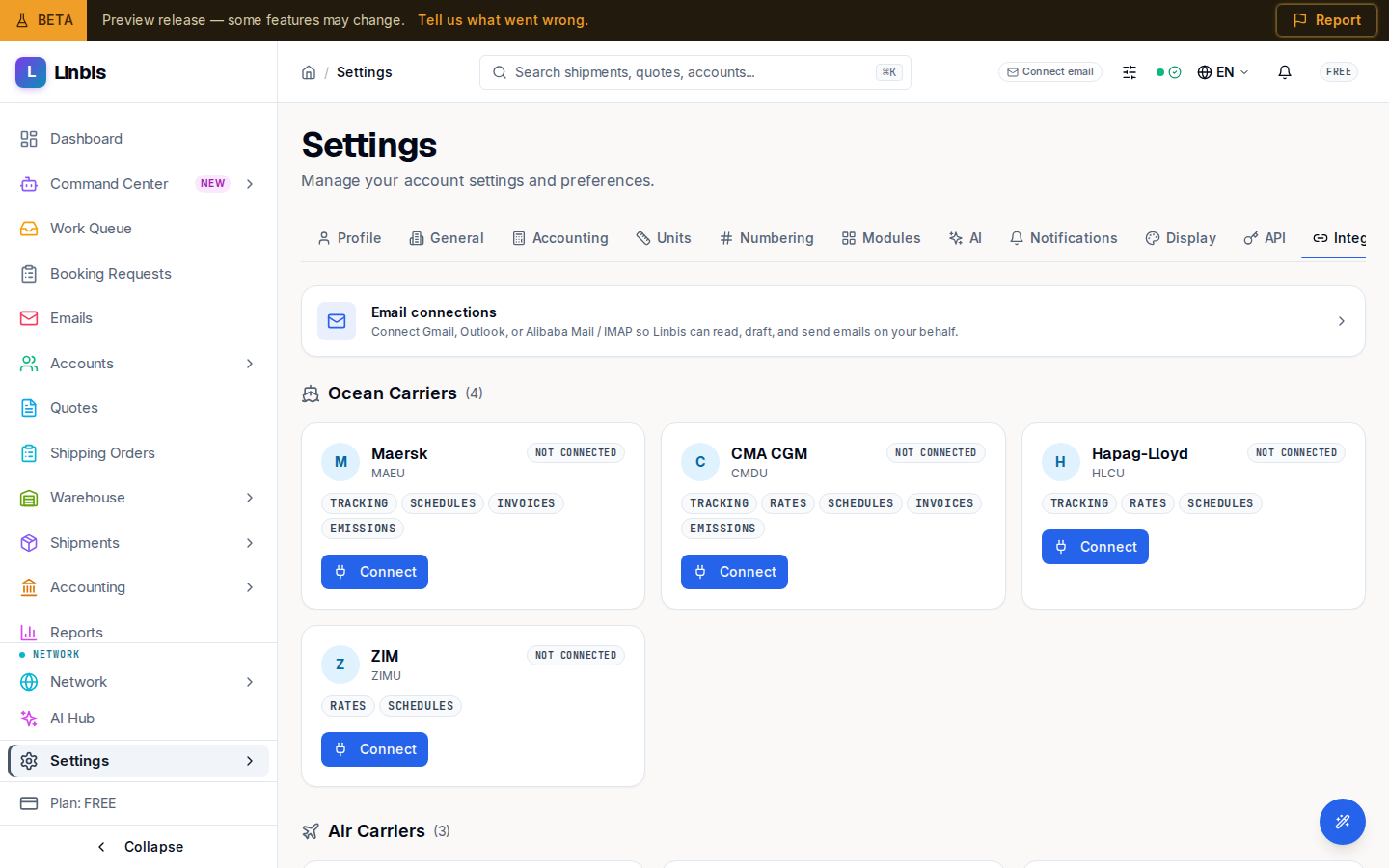
The connections tab of Settings — email connections (Gmail, Outlook, Alibaba Mail / IMAP), the carrier grid, and QuickBooks.
Integrations is the connections tab of Settings (/settings?tab=integrations). It's where
Linbis links to the outside services your workflow depends on — email, carriers, and accounting.
Email connections
The Email connections card leads to the full connection surface: "Connect Gmail, Outlook, or Alibaba Mail / IMAP so Linbis can read, draft, and send emails on your behalf." This is what powers the email agent, so connect at least one mailbox before relying on auto-processing.
Carriers and QuickBooks
Below email sits the carrier grid, where you connect the carriers you book with. QuickBooks connects here too — and it's required before you can post to it: the GL + QBO and QBO Only accounting modes note "Connect QuickBooks first in Settings > Integrations." Once anything is posted in Linbis, QBO Only is refused and GL + QBO keeps both books; a first QuickBooks connect after posting lands in GL + QBO.
AI assistants
AI assistants (/settings/integrations/assistants) lets outside AI assistants, such as ChatGPT, read
this company in Linbis. Each person reads with their own permissions: someone who sees only their
assigned records sees only those, and costs and margins are never returned. The connector only reads.
It cannot create, change or delete anything in Linbis.
- Company switch: off until an administrator turns on "Let outside AI assistants read this company". Turning it off refuses every connected assistant on its next request. Only an administrator can change it. If Linbis pauses the connector for your company, the page says so and your setting is kept.
- How to connect: while the switch is on, the page shows the server address. Add it as a custom connector in your assistant, sign in with your Linbis account and pick this company.
- Your connections: each assistant that has used your account, with when it was first and last used. End refuses that assistant from its next request; Allow again restores it. To stop the assistant asking, also remove the Linbis connector in the assistant.
- Your recent activity: the calls made with your account: when, which tool, the outcome and the assistant. Never the conversation, the questions or the answers.
- Company activity (administrators): the company's calls over a date range, counted by person, by tool and by outcome.
Usage records are kept for 90 days and then deleted.