Periods
Accounting Periods — manage fiscal periods, close and lock them, review each period's activity summary, and run the month-end FX revaluation.
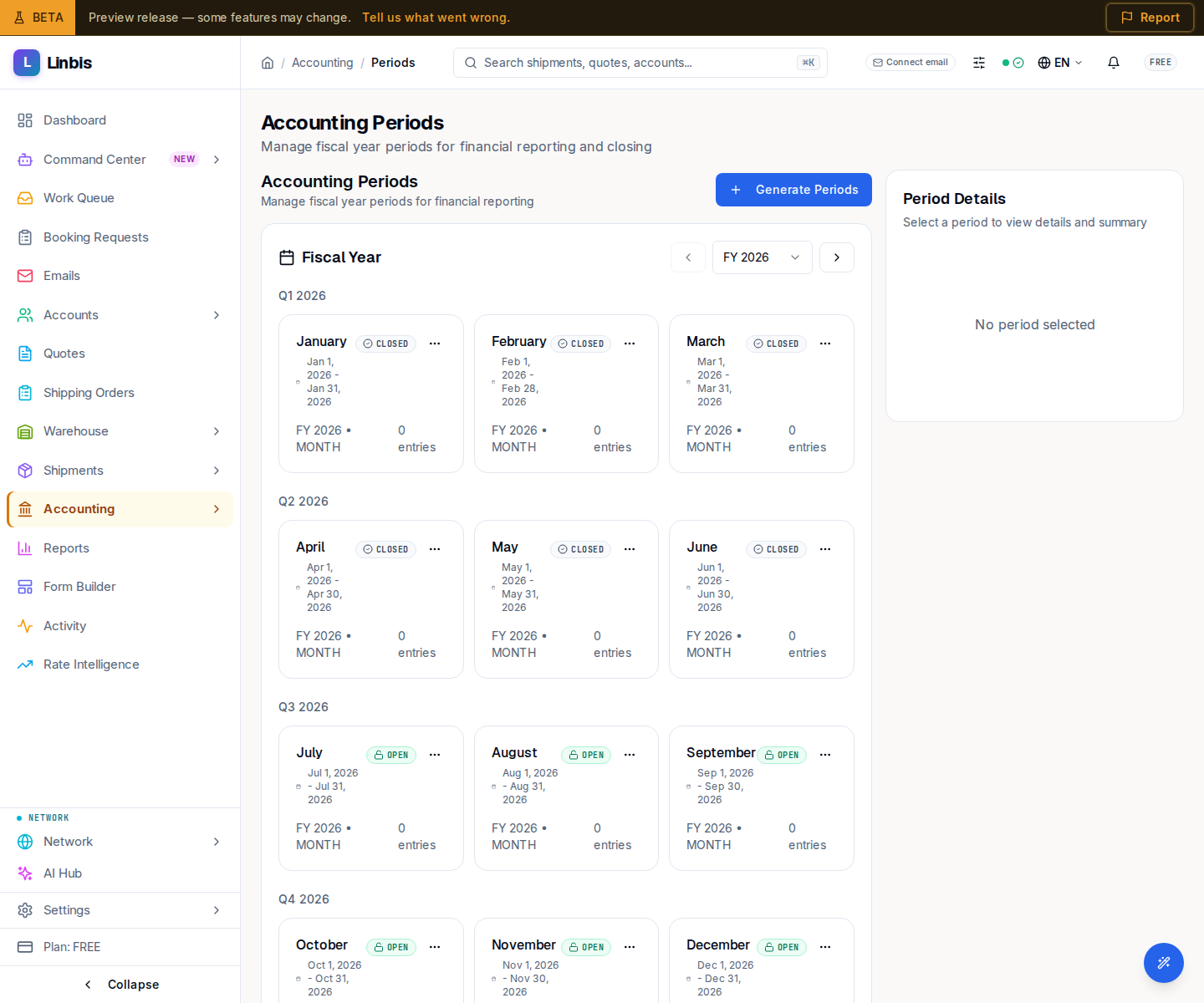
Accounting → Settings → Periods opens Accounting Periods ("Manage fiscal year periods for financial reporting and closing"). Postings require an open period, so this is where you open, close, and lock the fiscal calendar. The page is split: the period list on the left, a Period Details panel on the right.
Statuses
A period is FUTURE, OPEN, SOFT_CLOSE, CLOSED, or LOCKED.
Actions
- Generate Accounting Periods builds a fiscal calendar from a Fiscal Year, Period Type, and Fiscal Year Start Month.
- Close Period ("Run balance validation checks") closes an open period.
- Lock Period finalizes it — "Cannot be reopened or modified."
Period Details
Selecting a period shows its Period Dates (Start and End) and an Activity Summary with two tabs: Overview (Total Entries, Total Debits, Total Credits, and a Balance Check reading Balanced or Unbalanced) and By Type (per account type). Closure information appears once a period is closed.
Month-end FX revaluation
Below the periods, Month-end FX revaluation restates open foreign-currency invoices, bills, and credit memos at today's closing rate, and reverses the adjustment on the first day of the next period. No invoice or bill is changed. Only a workspace admin can see its figures and run or cancel it. Figures at today's closing rate show the receivables and payables adjustments, the effect on profit and loss, and a line per currency; Preview works them out again, Run revaluation posts the revaluation after a confirmation, and Cancel revaluation cancels a run.
A currency with no closing rate on the date is left out of the figures, and the panel says which: Exchange rates missing lists each missing pair, the document count adds "Not counted: documents in … (no closing rate).", and when nothing else changes in value it reads "Documents in … are not in these figures: there is no closing rate for this date. Add the rate, then preview again." instead of saying that nothing changes. Add the missing rate in Exchange Rates, then select Preview again.